Surfacecraft is the new name for WebCAM CNC. Same studios, same account. What changed?
Cut Studio · Live now

From idea to Carved .

Cut Studio is the browser-based CNC router CAM tool for hobby makers and small shops. Profile, pocket, V-carve and flatten — with feeds & speeds from your bit, holding tabs, a 3D preview of the real toolpath, and machine-ready G-code, right in your browser.

  • Free plan forever
  • Mac, PC, Linux & Chromebook
  • GRBL 1.1 routers
  • SVG import
  • Auto feeds & speeds
  • 3D toolpath preview
Feeds & speeds ready
Auto
18k
RPM
1800
mm/min
0.04
chipload
G-code preview
1/4" 2-flute · MDF
M3 S18000
G0 Z5.00 ; safeZ
G1 Z-2.40 F400 ; plunge
surfacecraft.app/editor/sign-pocket-operation
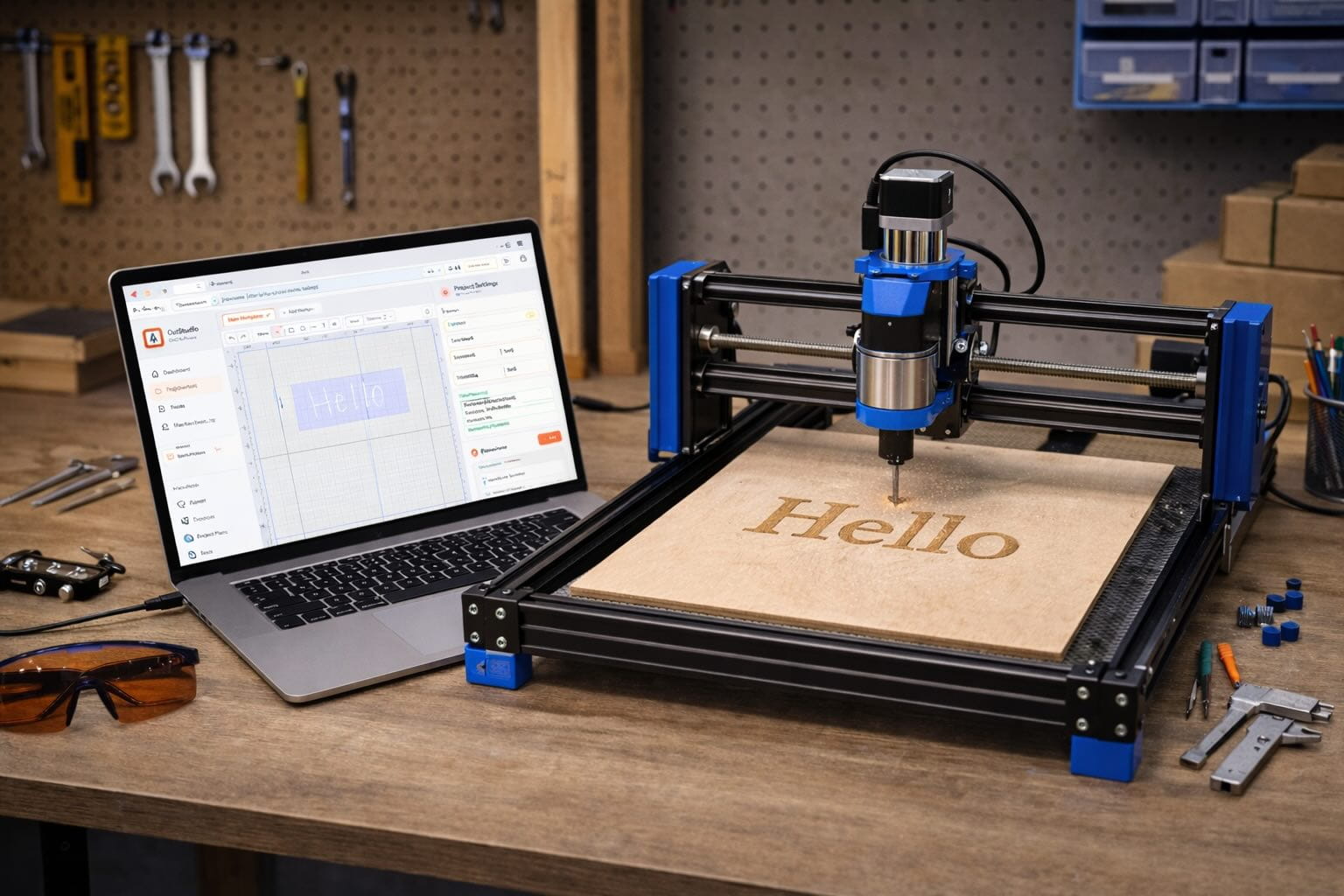
Cut Studio canvas editor with CNC toolpath preview

Built for the machines you already own

🔩 Shapeoko
⚡ X-Carve
🌟 Genmitsu
🔆 Onefinity
🏗 OpenBuilds
⚙ Longmill

Why Cut Studio

Stop fighting your CAM software. Start making chips.

Most hobby CNC workflows mean forum-diving for feeds and speeds, fighting a desktop CAM tool, and praying your G-code is right. Cut Studio collapses that into one fluid browser tool — designed by router users, for router users.

Automatic feeds & speeds

Pick a bit from your library and a material preset — Cut Studio works out feedrate, spindle speed and stepdown with real formulas: F = chipload × flutes × RPM. No forum diving, no guesswork.

Profile, pocket & V-carve

Profiles inside, outside or on the line, pockets that clear to depth, and V-bit finishes and chamfers from angle math (depth = width/2 ÷ tan(θ/2)).

A bit per shape

Give every shape the bit it needs. Cut Studio groups the work by bit and plans the bit changes for you, so a roughing pass and a V-carve finish live in one job.

Tool & material library

Save every end mill, V-bit and ball-nose once. Pick a material and Cut Studio dials in the chipload and stepover for that bit — no spreadsheet hunting.

Holding tabs & a real 3D preview

Add holding tabs so parts don't shift during cutout, then check the job in a 3D preview built from the G-code itself, not a guess at it.

Machine-ready GRBL output

Hard-enforced safe Z, no G00 below clearance, validated output. Download the G-code, or on Pro send it straight to your router or Surfacecraft Controller.

How it works

Sketch. Toolpath. Cut.

From blank canvas to a G-code file your machine can run — in three steps. No desktop software.

01

Design or import

Draw vectors on the canvas, drop in an SVG, or start from a preset. Give each shape its depth, cut and bit.

02

Generate toolpaths

Pick a strategy — profile, pocket, V-carve — and a material. Cut Studio works out feeds and speeds and plans the bit changes.

03

Export & run

Check the 3D preview, then download GRBL G-code or send it to your machine. Make chips.

Built by router users

Made by people who run routers, for people who run routers. Draw it, check it in 3D, cut it.

4
Ways to cut
0s
Install time
Auto
Feeds & speeds
GRBL 1.1
Machine-ready output

Smart toolpaths

Feeds & speeds that match your actual setup.

Pick a tool from your library and a material, and Cut Studio computes the right feedrate, spindle speed, and stepdown using real formulas: F = chipload × flutes × RPM — not magic numbers from a forum post from 2011.

  • V-bit depth from angle: depth = width/2 / tan(θ/2)
  • Material presets for wood, MDF, plastics and aluminium
  • Hard-enforced safeZ — never G00 below clearance
  • Holding tabs and planned bit changes
Cut Studio feeds and speeds calculator
; Surfacecraft Cut Studio
; Tool: 1/4" 2-flute · MDF
M3 S18000
G0 X0 Y0 Z5 ; safeZ
G1 Z-2.4 F400 ; plunge
Cut Studio toolpaths: profile, pocket, V-carve and flatten
3D preview from the real G-code

Full toolpath suite

Profile. Pocket. V-carve. One job.

Most hobby CAM tools make you pick one operation type and start over. Cut Studio lets you give each shape its own cut and bit in the same design, then orders the work by bit and writes it all into one G-code file with the bit changes planned.

Profiling
Inside, outside, on the line, tabs
Pocketing
Clear to depth, stepover from the bit
V-carving
V-bit finishes and chamfers
Flattening
Spoilboards and slabs

FAQ

Quick answers for router folks.

Start on the Free plan. No credit card, and every new account gets a 14-day Pro trial.

Create your free account
Yes. Cut Studio is live. Create a free account and start a project; it's included on the Free plan with every other studio.
Hobby CNC routers running GRBL — Shapeoko, X-Carve, Genmitsu, Onefinity, OpenBuilds, Longmill and most 3018 and 4040 machines. Download the G-code for your sender, or connect over Web Serial.
Cut Studio uses the industry-standard formula: F = chipload × flutes × RPM. You tell it your bit (diameter, flute count) and pick a material preset, and it computes a safe starting feedrate and spindle speed. V-bit depth uses: depth = width/2 / tan(angle/2).
Yes. Pick a V-bit and Cut Studio works out the depth from its angle, so V-bit finishes and chamfers come out the width you drew.
Cut Studio enforces safeZ (rapid height above all stock), clearZ (minimum height for moves between cuts), and never emits a G00 rapid below the clearance height. All output is validated before export.
Yes, on Pro. Send a job to your machine over Web Serial, or to a Surfacecraft Controller at the machine. On Free you download the G-code and run it in your usual sender.

The Suite

Cut Studio is part of something bigger.

One account unlocks the full Surfacecraft studio suite. Laser engraving, pen plotting, PCB milling — same canvas, same project library, all in your browser.

B
Burn Studio

Laser engraving & raster workflows for diode and CO₂ lasers.

W
Write Studio

Pen plotting & precision drawing for Axidraw and iDraw.

P
PCB Studio

Gerber import, isolation routing, and board machining.

Your next cut starts here. Sign up free. Start cutting today.

Create your free Surfacecraft account, set up your bits and your machine, and send your first job tonight. Every other studio comes with it. No credit card needed.

Free forever No credit card Every studio included